Programs: starters, switching and your own
A program is the set of days and exercises you repeat each week. Liftspan builds one for you, and there are three free starter programs to choose from. With Pro you can build and save up to three of your own. Whichever you run, Liftspan still sets the weights, moves them up, plans your deloads and works around your joints.
Open the Programs screen
- Tap the 🗺️ Plan tab.
- On the Your program card, tap Change program.
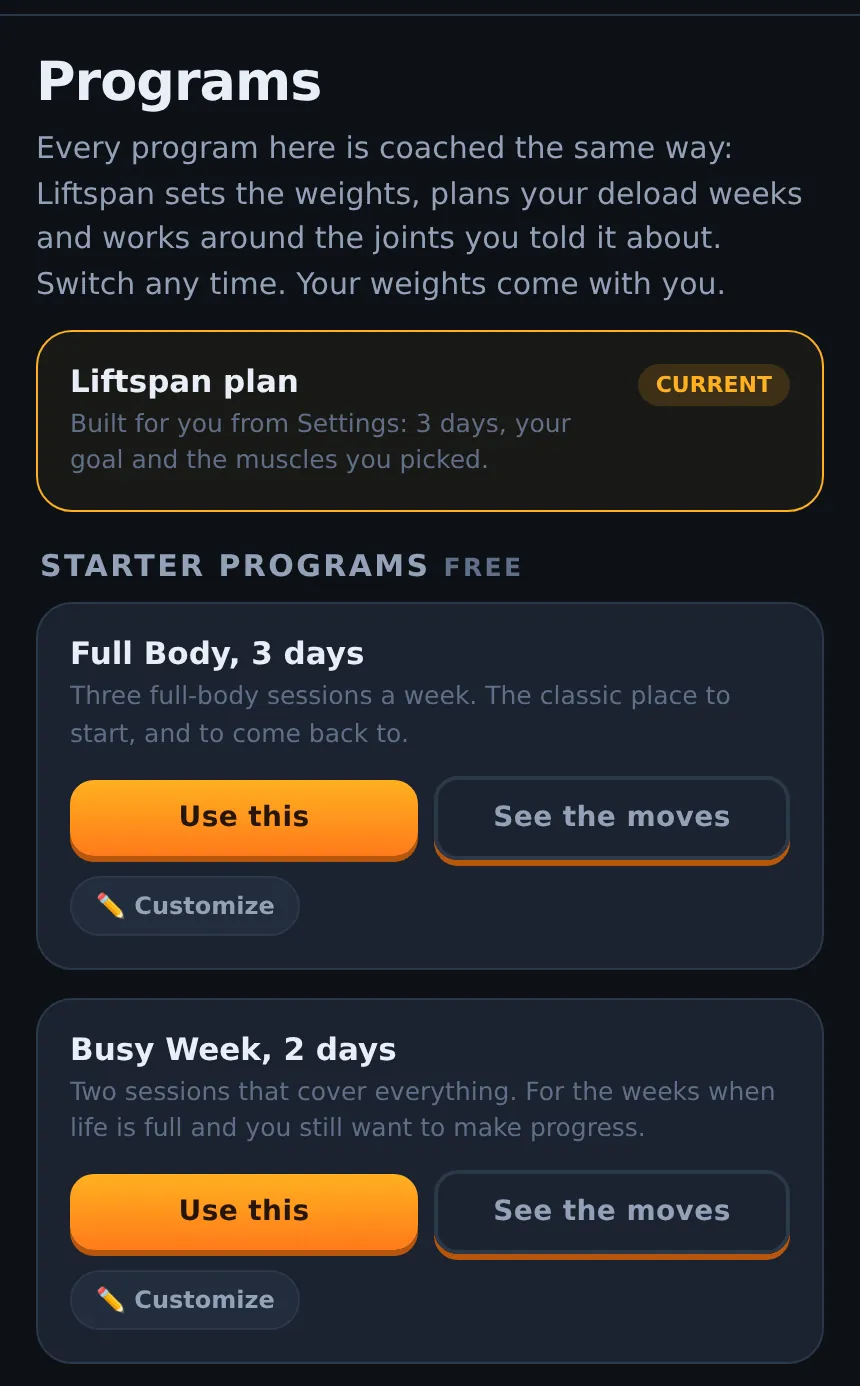
The Liftspan plan
This is the plan built from your setup answers: your goal, the number of days you picked, and the muscles you want to build. It is the default, and it follows those settings when you change them.
Starter programs FREE
| Program | Days | What it is |
|---|---|---|
| Full Body, 3 days | Full body A, B, C | Three full-body sessions a week. The classic place to start. |
| Busy Week, 2 days | Full body A, B | Two sessions that cover everything, with a little more in each. For weeks when life is full. |
| Upper / Lower, 4 days | Upper A, Lower A, Upper B, Lower B | Upper body and lower body on alternating days. More total work. |
Each starter is built for you: from the equipment in the room you train in, and without anything that loads a joint you have flagged. Tap See the moves to see exactly what you would be doing before you switch.
Switch programs
- Tap Use this on the program you want.
- Confirm. A fresh block starts at Week 1, so your deload lands where the new program expects it.
Your weights come with you. Liftspan remembers the weight you reached on every exercise, including sessions from this week, and uses it whenever that exercise appears again, in any program. Sessions you already did this week still count toward your streak.
A few things to know:
- Starter and saved programs set their own days per week, so the days setting on the You tab is locked while you run one. Switch back to the Liftspan plan to change it.
- If you have a workout in progress, finish it before switching.
- Switching between the Liftspan plan, the starters and programs you have already saved is always free.
Build your own program PRO
You can start from scratch, or from any program on the screen:
- Tap ✏️ Customize on a starter, or Customize on the Your program card, to start from that program.
- Tap + Build a program on an empty save slot to start from nothing.
In the builder:
- Give the program a name, and choose which of your three save slots it goes in.
- Use the day chips to move between days. + Day adds one (up to six) and Remove day takes one away. Name each day if you like, such as "Push day".
- Tap + Add moves to search the library or filter by muscle. It shows moves that fit your equipment. Tap Add on each one you want, up to ten a day, then Done adding.
- Adjust each move: − and + change its sets, ↑ moves it up, and ✕ removes it.
- If a move loads a joint you flagged, it is marked "⚠️ Loads your knees" with a suggested alternative. Tap Use to take the suggestion, or keep your choice.
- Tap Save program.
Reps come from your goal, and Liftspan sets the starting weights from what you have already lifted, or from an estimate for new moves. From then on it coaches your program exactly like its own: progression, deloads, supersets and sync.
Edit or delete a saved program
On the Programs screen, each saved program has Use this, ✏️ Edit PRO and Delete. You cannot delete the program you are currently running; switch to another one first. Deleting cannot be undone.
If your Pro membership ends
Your saved programs stay, keep running, and can still be switched to. Building new ones and editing existing ones need Pro. The Liftspan plan and the starter programs are always free.
Common questions
Will I lose my weights if I switch programs?
No. Liftspan remembers the weight you reached on every exercise and brings it back whenever that exercise appears, in any program. Only exercises you have never done start from an estimate.
Can I do the starter programs at home?
Yes. Every starter is built from the equipment in the room you train in, whether that is a full gym, a home gym, a hotel, dumbbells only, bands only or bodyweight only.
Why can't I change my days per week?
Starter and saved programs have a fixed number of days. To train a different number of days, switch to a program with that many days, or switch back to the Liftspan plan and change the setting on the You tab.