The daily check-in PRO
Some days your knee is sore, you slept badly, or you have 30 minutes. Tell Liftspan in your own words and today's session reshapes around it. Tomorrow, your plan is exactly where it was.
Rather read it? The walkthrough, step by step
- Tell Liftspan how you feel. Today's session bends around it.
- On Today, type how you feel, in your own words.
- Tap Go.
- Moves that load your knee swap out, and a tired day gets lighter.
- Tomorrow your normal plan comes back.
How to use it
- Open 🏠 Today and find How are you today?
- Type how you feel, for example "shoulder's cranky, slept badly", and tap Go. Or tap one of the quick chips: Shoulder is cranky, Lower back is sore, Knee is sore, Slept badly or Short on time.
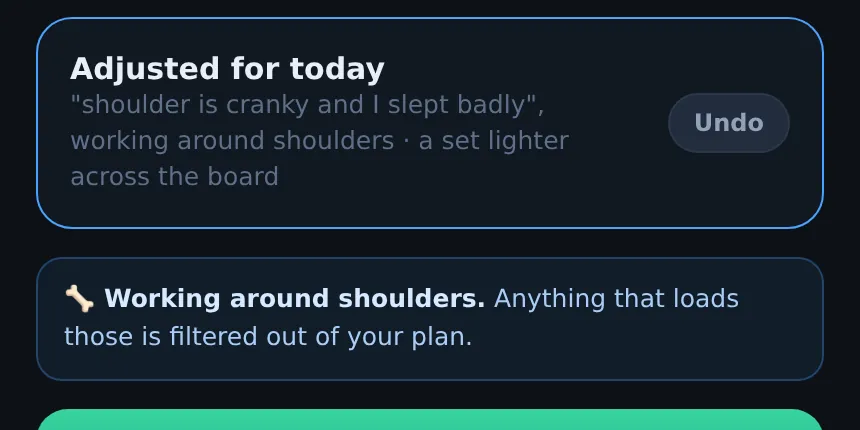
- A short message tells you what changed, and the card switches to Adjusted for today.
What it understands
| You say something like | What happens today |
|---|---|
| "Knee is sore", "back's stiff", "shoulder tweaked", "elbow is achy" | Moves that load that area are swapped for ones that train the same muscle, with the weight translated. If there is no good swap, the move is left out. |
| "Tired", "slept badly", "rough night", "jet lag" | One set fewer on each move, and weights at about 90 percent. |
| "No time", "quick one", "30 minutes" | Only the first three moves, the ones that matter most. |
You can combine them: "knee's sore and I'm short on time" does both. It needs a body part and a problem word together, so "my shoulder feels great" changes nothing. If it does not recognise a problem, it says so and leaves the session as it was.
If you have already flagged that area under Working around, your plan has no moves that load it, so the check-in has nothing to swap for it. The areas it understands are the same ones you can flag permanently: shoulders, lower back, knees, hips, and wrists or elbows. If an area bothers you most days, flag it instead, on the You tab under Working around.
Undo it
Tap Undo on the Adjusted for today card to go back to the full session.
How long it lasts
Just for today. The check-in only changes today's session. Your plan, your weights and your progression are untouched, so there is nothing to put back tomorrow.
Related guide: Lifting with a bad shoulder: the exercises to skip and what to do instead.
Why it works this way
A plan written on Monday cannot know how you will feel on Thursday. Most apps leave you two choices on a rough day: push through the plan as written, or skip it. The check-in gives you a third: train, but train the day you actually have. A sore knee means moves that load it step aside for the day, and a bad night means a little less work, so you still show up and keep the habit without paying for it later.
It only changes today on purpose. Your program, your weights and your progress stay exactly where they were, so one bad day never sets you back a week. Not medical advice: if something hurts, stop.
Common questions
Is the daily check-in free?
The daily check-in is part of Pro. On the free plan you can still flag joints permanently, which filters the moves that load them out of every session.
Does a check-in change my weights for next week?
No. It only reshapes today's session. Next week's targets come from what you actually logged, the same as always.
Is this the same as the daily activity log that keeps my streak?
No. The check-in changes today's workout. Logging a walk or other activity keeps your daily streak going, and is free for everyone. See your daily streak.