Where you train: gyms, home and hotels
Liftspan builds every workout from the equipment you actually have. Pick your room during setup, fine-tune the exact kit if you want to, and switch rooms for a trip without losing a single weight.
Rather read it? The walkthrough, step by step
- Gym today, hotel next week? Your plan follows you.
- On Today, tap Setup under your lineup.
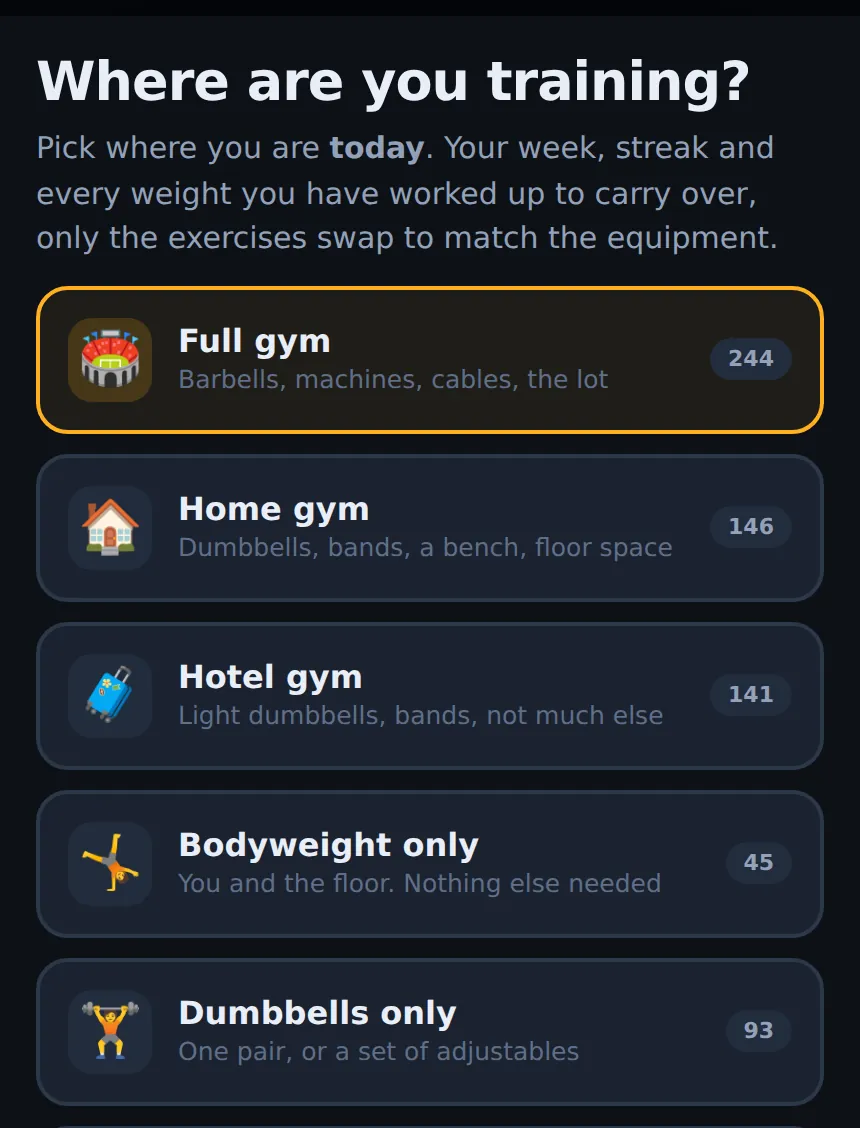
- Pick the room you are in. Here, a hotel gym.
- Every move now fits that room, and your weights carry over.
The training rooms
| Room | What it assumes |
|---|---|
| 🏟️ Full gym | Barbells, machines, cables, the lot |
| 🏠 Home gym | Dumbbells, bands, a bench, floor space |
| 🧳 Hotel gym | Light dumbbells, bands, not much else |
| 🤸 Bodyweight only | You and the floor |
| 🏋️ Dumbbells only | One pair, or a set of adjustables |
| 🎗️ Bands only | Resistance bands and a door anchor |
| 🧰 Exactly what I have | You tick the equipment you own |
Each room shows how many exercises it gives you. For every room except the full gym you can also tell Liftspan whether you have a bench or a pull-up bar, which opens up more exercises.
Exactly what I have
Choose 🧰 Exactly what I have and tick what you own: dumbbells (kettlebells count), resistance bands, a barbell and plates, machines, a cable stack or pulley, and odds and ends like a medicine ball or stability ball. Bodyweight moves are always included.
Change where you train
- On 🏠 Today, tap the Setup: (your room) (change) button at the bottom. Or go to 🏅 You → Training → 🧭 Environment.
- Pick the new room.
Choosing your room during setup is free. Switching to a different room afterwards is part of Pro PRO. Ticking a bench, a pull-up bar or pieces of equipment within your current room is free.
What happens when you switch
- Your week, your streak, your training block and every weight you have worked up to all stay.
- Only the exercises the new room cannot do are swapped, each for the closest match, with the weight adjusted from what you were lifting. If nothing fits, that exercise is left out while you are there.
- Today shows an Adjusted for hotel gym card listing what changed.
- When you switch back, your original exercises return with your progress intact.
If you are running a starter or saved program, the same applies: moves the room cannot do are swapped, and moves you chose to keep stay put.
Related guides: 3 day full body workout plan and Hotel gym workout (plus a hotel room workout).
Why it works this way
The best program is the one you can actually do where you are. A plan that assumes a full gym falls apart the first week you travel or train at home. Liftspan keeps the shape of your program, the muscles and the order, and swaps each move for one your room supports.
Your progress carries across rooms because the strength is yours, not the gym's. When you come back to the full gym, every weight you had there is waiting for you.
Common questions
I'm travelling for a week. What should I do?
With Pro, switch to Hotel gym, or to Exactly what I have if you know what is there, when you arrive. Train as normal, then switch back when you get home. Your gym weights are exactly where you left them.
Why are some exercises missing?
Either your room does not have the equipment for them, or they load a joint you have flagged. Adding a bench or a pull-up bar, or ticking more equipment under Exactly what I have, opens up more exercises.