Progress, your log, levels and Fuel
Liftspan keeps a record of every set you lift and turns it into proof you are getting stronger. Here is where to find it, plus your level, badges and the Fuel tab.
Your log FREE
Every session you have logged, week by week, with every set. Open 🗺️ Plan and tap 📖 Everything you have logged. Each day on the Plan tab also shows what you lifted once it is done, with an estimated one-rep max for each lift.
Progress PRO
Open 🏅 You and tap 📈 Progress. It shows:
- Estimated 1RM: your top lifts, each with a trend line and how much it has changed.
- Bodyweight moves: your progress on exercises without weights.
- Hard sets by muscle this week, compared with what the research suggests: under 10 is room to grow, 10 to 20 is the productive zone, over 20 means watch your recovery.
- How it has been feeling: your mix of Easy, Right and Hard ratings on each lift.
- PR history: every all-time best you have set, and when.
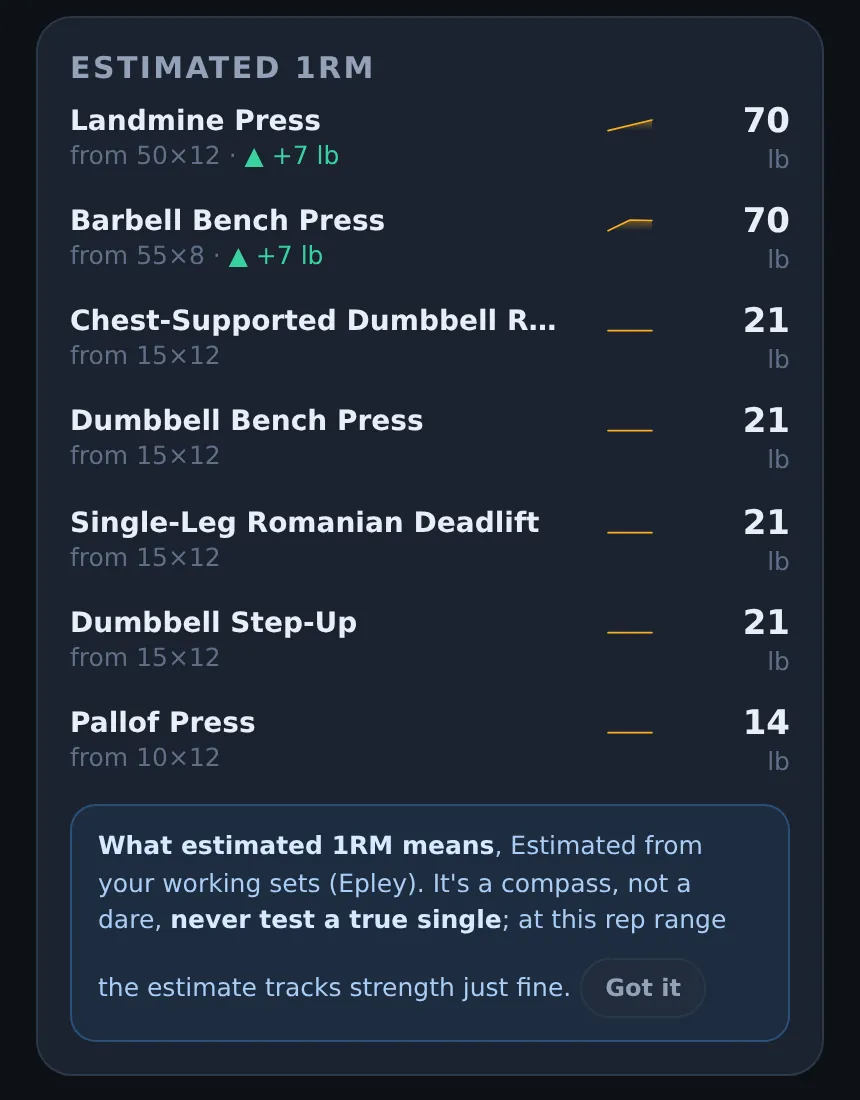
What estimated 1RM means
Your one-rep max is the most you could lift once. Testing it is risky and pointless for most people, so Liftspan estimates it from the weights and reps you actually do. A set of 8 at 100 pounds and a set of 5 at 110 pounds say roughly the same thing about your strength, so the estimate lets you compare them. When it goes up, you are getting stronger, whatever rep range you are in.
All-time bests
When a set beats your best estimated 1RM on that lift, it is an all-time best. It is celebrated on the finish screen and recorded in your PR history. The first time you do a lift sets your baseline, so bests start from your second session.
Levels, XP and badges FREE
You earn XP for every set, for sets at the top of your range, for all-time bests, for finishing a session, and for logging an active day. Your level and XP sit along the top of the screen, and the You tab shows how far you are from the next level, plus the badges you have earned.
Fuel FREE
The 🍽️ Fuel tab gives you a daily calorie target for training days and your protein target, based on your setup answers and your goal. You can log your body weight there, and Liftspan shows your seven-day average and whether you are on pace for your goal. Tap Where that number comes from to see the calculation and its sources.
Common questions
Why is my estimated 1RM different from what I can actually lift?
It is an estimate from your working sets, and it is most accurate for sets of about 10 reps or fewer. Use it to see the trend, which is what matters, rather than as a number to test.
Is the Progress screen free?
The Progress screen is part of Pro. Your full log, with every set and an estimated 1RM for each lift, is free.