Your account, sync and deleting your data
You do not need an account to use Liftspan. Signing in backs your training up, keeps your phone and the web in step, and is needed for streak partners. There is no password: you sign in with a code sent to your email.
Without an account
Everything you do is saved on the device you are using, in the app or in your browser. If you clear your browser data, clear the device, or lose the phone, it is gone. Signing in later uploads everything you have done so far into your new account.
Sign in
- Tap 🏅 You, then the ⚙️ gear for Settings, and open 🗂️ Data, sync & account. (You will also be offered sign-in on Today after your first workout, and on the first screen if you have used Liftspan before.)
- Enter your email and tap to send a code.
- Type the 6-digit code from the email and tap Sign in. If it does not arrive, check your spam folder or tap Send a new code.
What syncs
Once you are signed in, your profile and settings, your plan and saved programs, every finished workout with every set, your body weight log, your custom exercises, your XP, levels and badges, and your Pro membership all sync to your account.
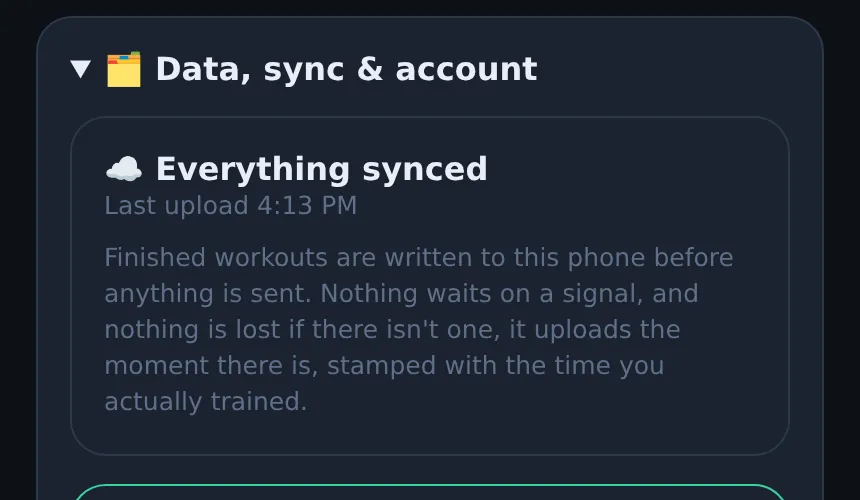
To use Liftspan on another device, like your phone and a laptop, just sign in with the same email on both. Workouts you log with no signal are saved on the device first and upload when you are back online.
The sync status is at the top of the Data, sync & account section: ☁️ Everything synced, or a count of workouts waiting to upload with a Retry button.
Sign out
Settings → 🗂️ Data, sync & account → Sign out. Your training stays on the device and in your account. Sign back in any time to pick up where you left off.
Delete your account and data
- Sign in, if you are not already.
- Go to Settings → 🗂️ Data, sync & account.
- Tap Delete my account & all data and confirm.
This permanently removes your Liftspan account and all your training data from our servers. It cannot be undone. If you pay for Pro, cancel your subscription before you delete your account: on the web, go to Settings → Liftspan Pro → Manage or cancel subscription; on iPhone, go to iPhone Settings → your name → Subscriptions.
To wipe only the copy on one device, without touching your account, use Clear this device in the same section.
Privacy
In the app, Settings → 🔒 Privacy shows what is stored and what never leaves your device. The full policy is on the privacy page. Streak partners only ever see your name, whether you logged today, your flame and your shared streak.
Common questions
I got a new phone. How do I get my training back?
Install Liftspan and sign in with the same email you used before. Your plan, programs and workout history come back. If you never signed in on the old phone, the training stayed on that phone.
Can two people use Liftspan on the same device?
Yes. Each person signs in with their own email, and each account keeps its own training.
How do I contact Liftspan?
Email dave@liftspan.fit.