Training around your joints
Tell Liftspan which joints need care and the exercises that load them are left out of everything it plans for you, replaced with ones that train the same muscles. It is free, and it is the single most important setting in the app.
The areas you can flag
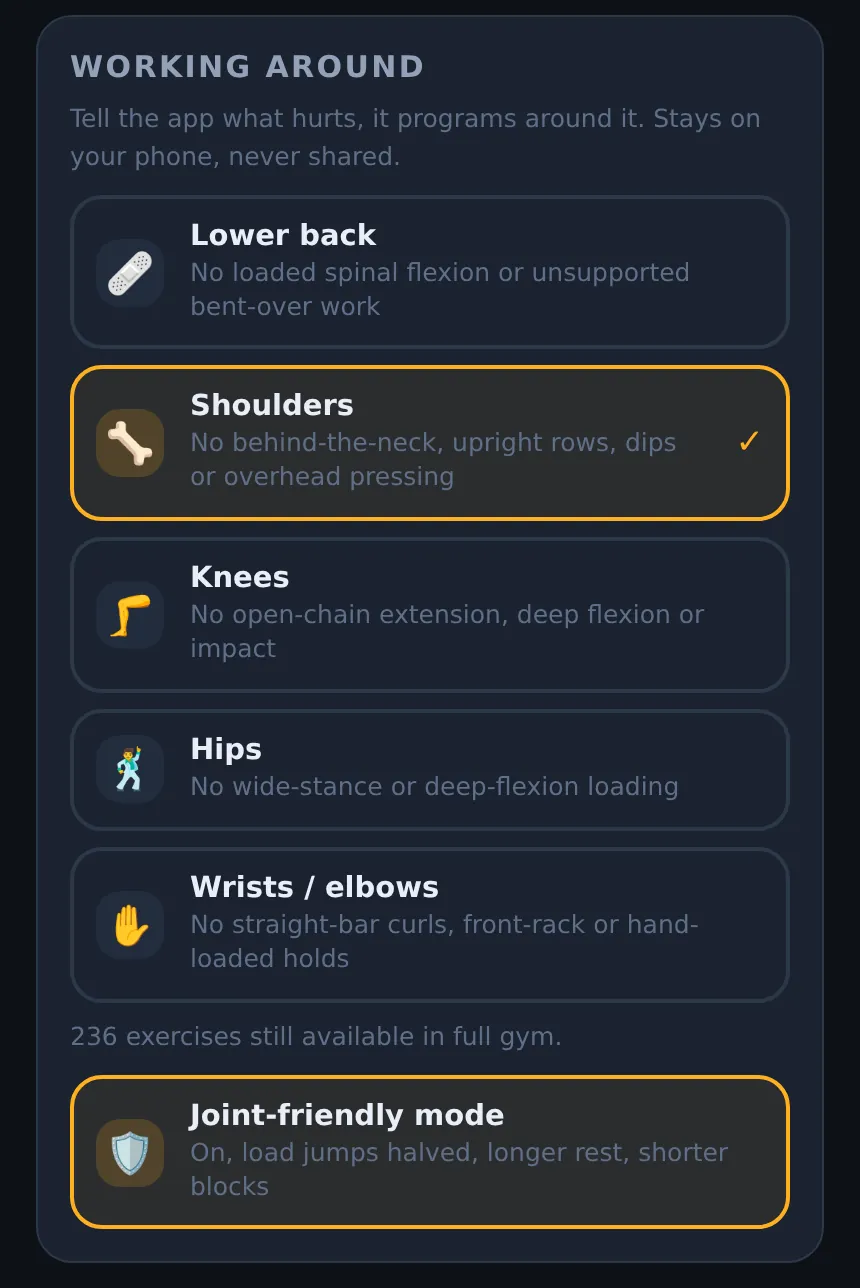
| Area | What Liftspan leaves out |
|---|---|
| 🩹 Lower back | Loaded spinal flexion and unsupported bent-over work |
| 🦴 Shoulders | Behind-the-neck work, upright rows, dips and overhead pressing |
| 🦵 Knees | Open-chain extension (like the leg extension machine), deep knee bends and impact |
| 🕺 Hips | Wide-stance and deep-flexion loading |
| ✋ Wrists / elbows | Straight-bar curls, front-rack positions and hand-loaded holds |
You pick these during setup, on the screen that asks Anything to train around? To change them later, see below.
What changes when you flag a joint
- Your plan. Moves that load the area are never picked for your Liftspan plan, your starter programs, swaps, or the stand-ins used when you change rooms.
- Today shows it. A note on Today reminds you which areas you are working around.
- During a workout, some moves that involve a flagged area carry a note: "Careful, this involves your knees. Keep it pain-free; swap if it pinches."
- Lower back: if a day has no core work, a spine-stability move (like a side plank, bird dog or dead bug) is added at the start, so sessions open with a stability block.
- Your own programs are your call. If you add a move that loads a flagged joint to a program you build, Liftspan marks it "⚠️ Loads your knees" and offers a named alternative with a Use button, but lets you keep it.
- The daily check-in PRO works the same way for a single day: type "knee is sore" and today's knee-loading moves are swapped out. See the daily check-in.
Joint-friendly mode
Joint-friendly mode is a separate switch, on the same screen. It is turned on for you automatically if you are 50 or over, and you can turn it on or off at any age. It changes how hard and how fast Liftspan pushes, rather than which exercises you get:
- Smaller weight jumps where your equipment allows it, so tendons keep up with muscles.
- 30 more seconds of rest between sets.
- Fewer total sets in each session.
- Riskier moves ranked lower, and advanced moves left out for people new to lifting.
- Warm-up sets on by default before your heavier lifts.
- Shorter training blocks: a deload week after every three working weeks instead of every five. This is set once, when you finish setup. Turning the mode on or off later does not change your block length.
Changing your joints later
- Tap the 🏅 You tab.
- Scroll to the Working around card.
- Tap an area to add or remove it. The 🛡️ Joint-friendly mode switch is just below.
If you have already started training, Liftspan only swaps the moves affected by the change and keeps every weight you have worked up to. Today shows an "Adjusted for knees" card listing what changed. If you have not trained yet, the plan is simply rebuilt.
Common questions
Is training around a joint a Pro feature?
No. Flagging joints and joint-friendly mode are free for everyone, forever. The daily check-in, which adjusts a single day around how you feel, is part of Pro.
Why is the bench press still in my plan with a shoulder flagged?
The shoulder flag removes the positions that most often cause trouble: overhead pressing, dips, upright rows and behind-the-neck work. Most shoulders handle a bench press with a sensible grip. If yours does not, swap it (swaps are part of Pro), or leave it out of a program you build yourself, where you can pick a floor press or a neutral-grip dumbbell press instead.
I flagged a joint and some of my exercises changed. Did I lose my progress?
No. Only the moves that load the flagged area were swapped, and each replacement starts from a weight based on what you were lifting. Everything else is exactly where it was.